
NAM capture
The response of an amp or pedal.
A compatible NAM model brings a captured piece of gear into the signal path. It can be an amp, a pedal, or an amp with its cabinet already included.
steynwave pedal rigs
Explore TONE3000 and play NAM captures through your own instrument. Shape the rest of your sound in one visible signal path.
See the native flowmacOS release in preparation. View downloads
Listen before you plug in
Choose a sound, then switch between the dry input and the processed recording. Each pair uses the same performance, level matched so you can listen to the character.
Worship lead · distortion
Held high notes and breathing space, with stacked distortion, tempo-matched tape repeats and a wide hall.
Ready. Press play to listen.
Dry / Processed keeps your place. Changing the sound starts the recording again.
What you hear · serial signal path
Strat DI · original sample-based melody · D major · 76 BPM
Processed in steynwave pedal rigs with native effects. These demos do not use NAM captures.
Source recordings & credits
Worship and praise: original sample-based DI arrangements from isolated Strat notes in GuitarJam by Julian-br (CC0). Notes were transposed, timed and joined to create new phrases. Rock uses an original GuitarJam DI melody. Acoustic source: Clean Strumming & Arpeggio by loudernoises (CC0).
Riffs: metal_guitar_riff_cln.wav by TwistedLemon / Freesound, CC BY 4.0. Sources decoded and level adjusted; effects added with steynwave pedal rigs. Genre labels describe the intended example and preset treatment.
NAM & TONE3000 · Inside the app
Search for the gear you have in mind, explore a category, or open a creator’s collection. Hear a compatible capture through your own playing, right inside your rig.
From discovery to your own sound
Browse tones, narrow the results, or open a creator’s collection. Choose a compatible capture to audition its first compatible model.
Listen through your own instrument. Pick another model when you want a different take, then use Try to audition that choice.
Keep applies the audition to your active rig. Restore brings your previous sound back, so the choice stays yours.
Save a named copy to My Effects for another day. Save your preset separately to keep the rig you have built.
A TONE3000 account is needed for cloud browsing; there is no user API key to configure. Capture compatibility and the creator’s license apply.
Character, with a clear place in the chain
Know what you are bringing into the board, then shape everything around it.
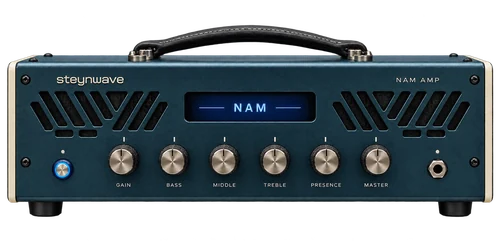
NAM capture
A compatible NAM model brings a captured piece of gear into the signal path. It can be an amp, a pedal, or an amp with its cabinet already included.
Cabinet IR
A cabinet impulse response shapes the signal with a recorded cabinet response. It is a different role from the amp’s drive and dynamics.
Using an Amp + Cabinet capture? Check your routing: its cabinet is already part of the capture, so an extra cabinet stage may be unnecessary.
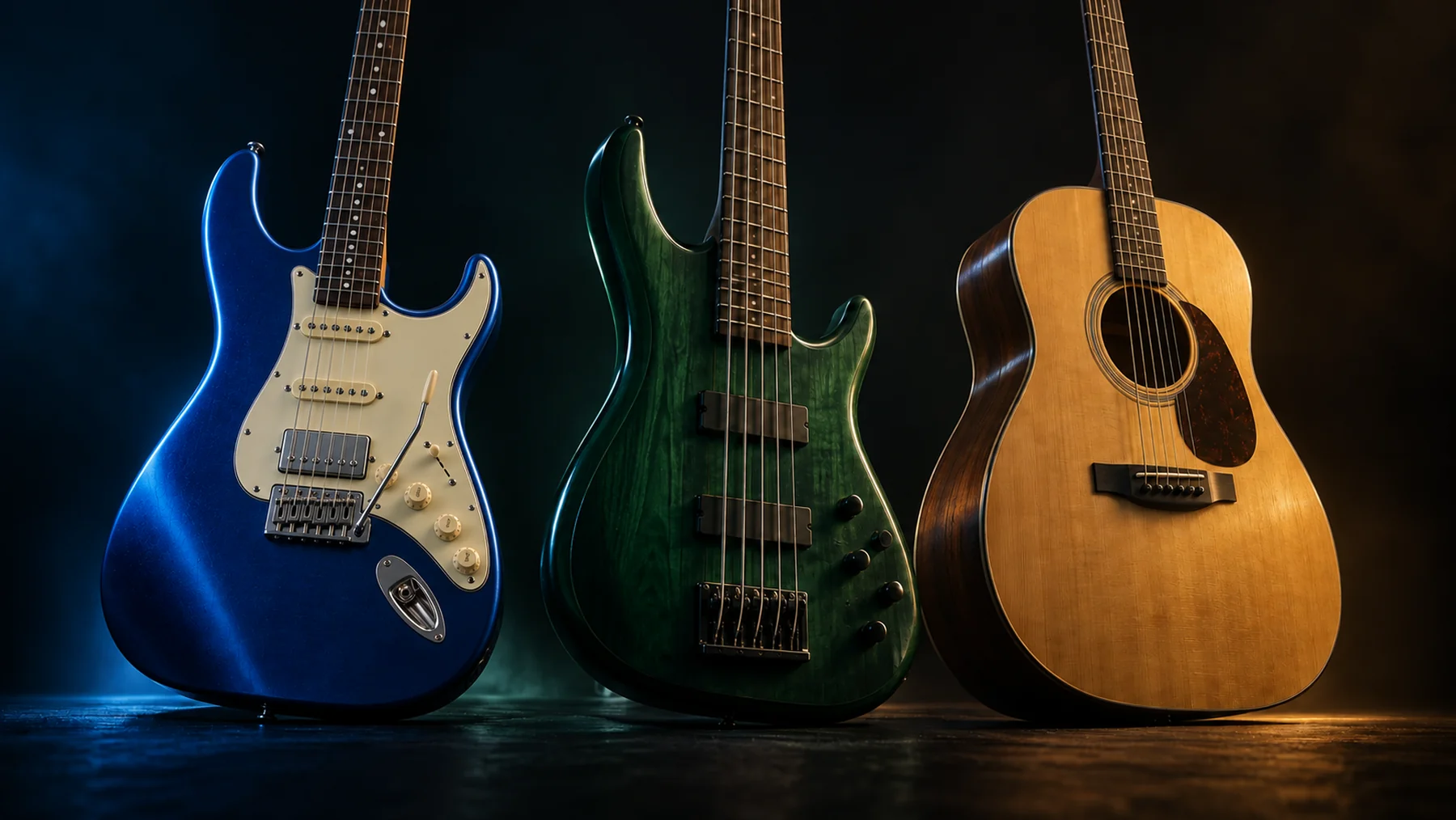
Guitar. Bass. Acoustic.
Choose your instrument on first launch, or change it from the node before Input. Each keeps its own palette, presets and input calibration.
Guitar workspace
A little push, a singing lead, or room for a note to unfold. Build an electric board around your touch.
Bass workspace
Keep the low end present while you find the right amount of warmth, bite and movement.
Acoustic workspace
Refine a pickup, bring out the body, and give the quiet details somewhere to breathe.
Your instrument. Your controller. One rig.
Connect your instrument through an audio interface. Bring a compatible MIDI controller into the Mac, then use MIDI Learn to map your switches and expression.
Inside Pedal Rigs · example audio path
Build serial chains, add a parallel section, then merge back into the next effect.
Control connection
Connect the expression pedal to a compatible controller’s EXP input. Send MIDI to the Mac and enable that input in Rigs.
MIDI carries control messages; your sound travels through the audio interface. An expression pedal needs a compatible controller or MIDI adapter. Choose the amp and cabinet stages for your capture: an Amp + Cabinet NAM already includes its cabinet.
A future companion for your rig
Coming soon · Design conceptEight switches. One clear connection to your rig.
A laptop-connected companion for practice and performance, with audio and expression connections within reach.
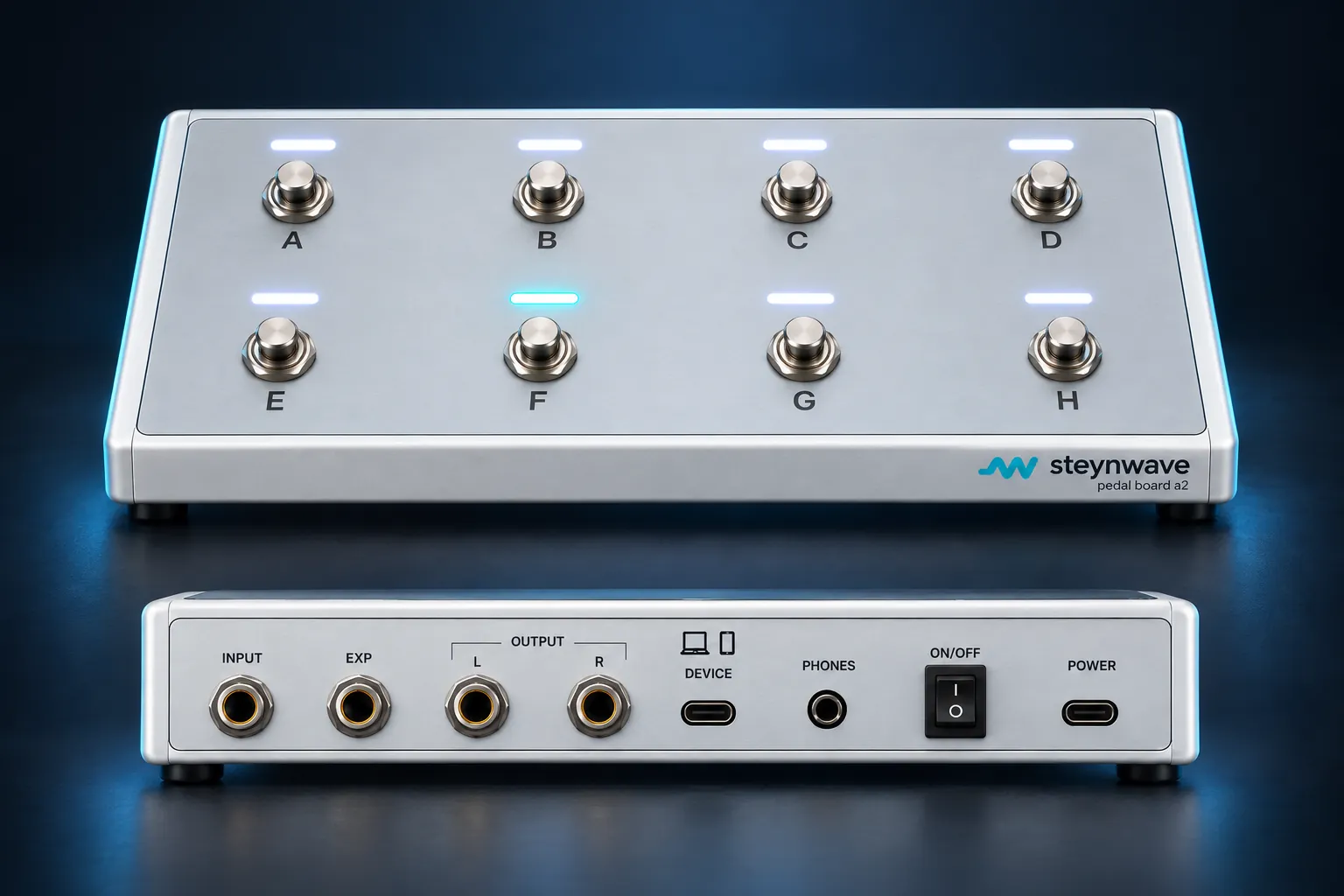
Planned rear connections · left to right
Audio processing is planned in the host app. Final materials, connections, compatibility and release timing will follow engineering validation.
community.steynwave.com
Coming soonA home for the ideas behind your sound. Discuss your rig, exchange presets, and share NAM discoveries with other players.
Create your Steynwave accountAsk a question, share a setup, or work through a sound with other players.
Share your routing and settings, with instrument and source context.
Explore community NAM recommendations with creator credits and licenses.
Documentation & learning
Learn audio from input to output. Explore every effect, understand its controls, and look up unfamiliar terms without losing your place.
Open documentation & learningYour learning home: rigs.steynwave.com/docs
Before you plug in
Clear expectations, so you can get back to playing.
A NAM capture models the response of captured gear, such as an amplifier or pedal. A cabinet IR is a recorded impulse response used to shape a cabinet stage. They serve different parts of the sound, so choose the type that matches the place in your chain.
The cabinet is already included in that capture. Inspect your chain before adding another cabinet or IR stage, since the speaker response is already included.
Connect your TONE3000 account and use an internet connection for cloud discovery and downloads. No user API key is required. The creator’s license and compatibility of each capture still apply.
Read the TONE3000 setup guideYes. Local .nam models and WAV cabinet IRs can be imported without cloud browsing. Supported A1/A2 NAM models must use their required sample rate; WAV IRs can be mono or stereo and up to 500 ms long. Check the support guide before choosing a file for your rig.
See setup and compatibilityThey are three workspaces inside one Mac application. Change the instrument from the node before Input. Presets, input calibration and the instrument theme stay separate. Switching instruments closes the previous context; it is not a gapless live change.
The Mac application is in private development. A public installer and public pricing are not available here. Release status lists current availability and the checks still needed before wider distribution.
Check release statussteynwave pedal rigs
A native workspace for your instrument, your captures and your next idea.